agent-dev-toolkit
agent-dev-toolkit is a developer toolkit for coding agents. One shared core (skills, policy, router, and delivery contracts) is published by adapters into the agent you already use. You sync with a PowerShell CLI, then invoke the same skill ids in that agent.
| I want to | Go to |
|---|---|
| Install the toolkit | Get started |
| Sync or validate from the command line | CLI |
| Run my first skill | First use |
| Pick the right workflow for a feature | Orchestrated Delivery |
Also: Using skills, Adapters, and Architecture.
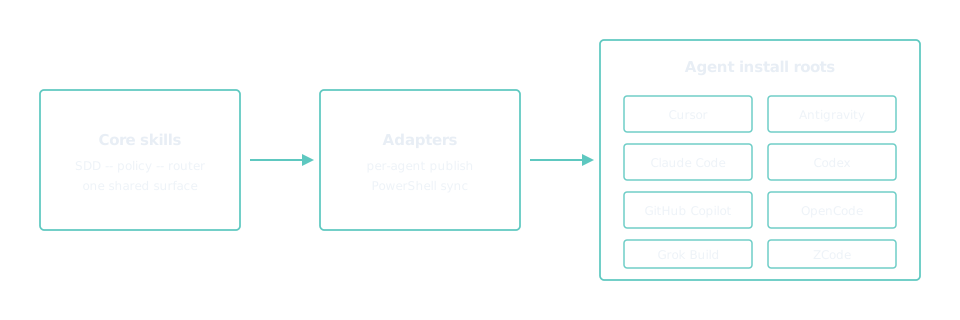
Ten agents: Cursor, Antigravity, Claude Code, Codex, GitHub Copilot, OpenCode, Grok Build, ZCode, Hermes, and OpenHands.
To try it from a clone, run the interactive menu: pwsh -NoProfile -File ./scripts/toolkit.ps1. Downloads and the other install options are on Get started.